DynamicNotifications Premium v1.7


DynamicNotifications Premium v1.7
Requirements: Android 4.0+
Overview: DynamicNotifications allows you to receive important notifications when your screen is off.


When you miss a call or receive a new email/SMS, the display will discreetly light up to let you know, without needing to unlock the device. Most phones only have a pulsing notification LED that doesn’t actually tell you anything about the incoming notification – with ActiveNotifications, you can immediately decide if something is important enough to act.


FEATURES:
* Notifications don’t light up when your phone is in your pocket, purse, or face down to avoid accidental unlocks
* Select which app-notifications you’d like to receive via ActiveNotifications
* "Custom timeout": Select for how long ActiveNotifications should be shown (Premium feature)
* "Sleep at night": Don’t show notifications at night (Premium feature)
* "More privacy": Hide additional notification details (e.g. SMS text, sender) (Premium feature)
* "Adjust screen brightness": Select how bright the ActiveNotifications screen should be (Premium feature)
* Automatically switch off screen when dismissing notifications(Premium feature)


HOW-TO:
– Swipe up to see more details about the notification
– Swipe down to unlock the device (respects your unlock-security settings)
– Swipe left or right to dismiss the notification


FAQ:
– How can I make sure the app is working correctly?
Launch the app and follow the setup steps. Then, switch off your phone’s screen and send an email to yourself from your PC. After a few seconds, the notification screen should light up!
– The screen sometimes turns on to the lockscreen, even if my phone is in my pocket
Please go to your phone’s system settings –> "Security" –> "Device administrators" and tick the checkbox next to "ActiveNotifications". This will *only* allow the app to lock your screen, nothing else!
– When I lock my screen, nothing happens!
The app isn’t a lockscreen replacement. It respects your security settings (PIN/Pattern lock) and only appears if you actually receive a new notification while the screen is turned off
– Will the app become available for Android 2.x, 3.x, 4.x?
The app is now compatible with Android >=4.0. If you’re running Android 4.3, it will make use of the new "NotificationListenerService"-feature introduced in Android 4.3. Support for Android 4.0 to 4.2 is experimental, at the moment, but please try it out and let me know how you get on!
– Why can’t I uninstall the app?
Please go to your system settings, select "Security", “Device Administrators” and uncheck the ActiveNotifications-entry. You will then be able to uninstall the app.


KNOWN ISSUES:
– If you’re using "None" or "Slide" as your system lock setting, the "custom timeout"-feature isn’t recommended, because it will turn your screen fully on after the timeout has passed. Please consider adjusting your system display timeout setting to the desired time as a temporary workaround. This will be fixed in the next version


Please note: This is an experimental app. It has been confirmed to work on the Galaxy Nexus, Nexus 4, 7, 10, and the Google Play edition of the S4 (all running stock Android 4.3 or CM10.2) so far. Please let me know if it does/doesn’t work for you! It should work on any phone with Android >=4.0 and doesn’t require "root".
Feature graphic design by Robert Olejnik (http://goo.gl/LNXimn)


What’s New:
– Fixed the "night mode"-feature (wasn’t working for some users)
– Improved stability of the custom timeout-feature (it should now work regardless of which other options (such as the Lockscreen-mode or the Auto-wake feature) you’ve enabled)
– "Double" notifications should now be fixed, please let me know if you’re still receiving them
– The app should now work side-by-side with other apps that use the Accessibility-service on pre-4.3 devices, such as "Missed It!"


This app has NO advertisements


More Info:


Code:


https://play.google.com/store/apps/details?id=com.greatbytes.activenotifications


Download Instructions: Unlocked Premium features!
http://ul.to/v0yf2bw5


Mirror:
http://rapidgator.net/file/93ed26905…AqZzF.zip.html


Read more

iNoty v1.0.2.2


iNoty v1.0.2.2
Requirements: Android 2.3+
Overview: iPhone style status bar replacement with iOS 7 style. It is best when used with iLauncher.


iPhone style status bar replacement with iOS 7 style. It is best when used with iLauncher.* Calendar is only supported on Android >= 4.0.
* Tablet is not supported.
* Consequent swipe down after the status bar pulled down will show the original status bar. This may be useful to access the original status bar’s system controls. (Accessibility service should be enabled to use this feature.)


What’s New:


v1.0.2
– Consequent swipe down after the status bar pulled down will show the original status bar. This may be useful to access the original status bar’s system controls. (Accessibility service should be enabled to use this feature.)
v1.0.1
– Now automatically remove confirmed notifications.
– Network connection detection improved.
– Fixed a bug that notification message showed up in fullscreen mode.
– Now sliding animation of notification message works on Gingerbread.


More Info:


Code:


https://play.google.com/store/apps/details?id=net.suckga.inoty


Download Instructions:


http://www.tusfiles.net/39mtgrk6qyh6


Read more

WhatsApp Messenger v2.11.36


WhatsApp Messenger v2.11.36
Requirements: Android v2.2+
Overview: WhatsApp Messenger is a smartphone messenger available for Android, BlackBerry, iPhone, Windows Phone and Nokia phones.


WhatsApp Messenger is a smartphone messenger available for Android, BlackBerry, iPhone, Windows Phone and Nokia phones. WhatsApp uses your 3G or WiFi (when available) to message with friends and family. Switch from SMS to WhatsApp to send and receive messages, pictures, audio notes, and video messages. First year FREE! ($ 0.99 USD/year after)


WHY USE WHATSAPP:


★ NO HIDDEN COST: Once you and your friends download the application, you can use it to chat as much as you want. Send a million messages a day to your friends for free! WhatsApp uses your Internet connection: 3G/EDGE or Wi-Fi when available.


★ MULTIMEDIA: Send Video, Images, and Voice notes to your friends and contacts.


★ GROUP CHAT: Enjoy group conversations with your contacts.


★ NO INTERNATIONAL CHARGES: Just like there is no added cost to send an international email, there is no cost to send WhatsApp messages internationally. Chat with your friends all over the world as long as they have WhatsApp Messenger installed and avoid those pesky international SMS costs.


★ SAY NO TO PINS AND USERNAMES: Why even bother having to remember yet another PIN or username? WhatsApp works with your phone number, just like SMS would, and integrates flawlessly with your existing phone address book.


★ NO NEED TO LOG IN/OUT: No more confusion about getting logged off from another computer or device. With push notifications WhatsApp is ALWAYS ON and ALWAYS CONNECTED.


★ NO NEED TO ADD BUDDIES: Your Address Book is used to automatically connect you with your contacts. Your contacts who already have WhatsApp Messenger will be automatically displayed.


★ OFFLINE MESSAGES: Even if you miss your push notifications or turn off your phone, WhatsApp will save your messages offline until you retrieve them during the next application use.


★ AND MUCH MORE: Share location, Exchange contacts, Custom wallpaper, Custom notification sounds, Landscape mode, Precise message time stamps, Email chat history, Broadcast messages and MMS to many contacts at once and much much more!


———————————————————
We’re always excited to hear from you! If you have any feedback, questions, or concerns, please email us at:


android-support@whatsapp.com


or follow us on twitter:


http://twitter.com/WhatsApp
@WhatsApp
———————————————————


When roaming, additional carrier data charges may apply. Please contact you carrier for details.


Recent changes:
2.11.35 / 2013-AUG-21
― improved video send capability with large videos
― connection improvements for India based carriers
2.11.31 / 2013-AUG-19
― enable lithuanian language support


Visit Website
Less description »


This app has NO advertisement


More Info:


Code:


https://play.google.com/store/apps/details?id=com.whatsapp


Download Instructions:
http://uploaded.net/file/4nhd3gh7


Mirror:
http://rapidgator.net/file/a6ff777af…322fa4acc9fae2


Read more

Cytus v4.0.4 Android


Cytus v4.0.4
Requirements: Android 2.2+/Root
Overview: ❖❖Welcome to the Musical World of Cytus❖❖
LET’S EXPERIENCE MUSIC ’N ART, BEAT ’N REBOUND!


http://www.mobilephonetalk.com


Check the screenshots and you will see the most AWESOME mobile music game ever!
Just PLAY and ENJOY!


❖FEATURES❖


– 84 songs and 168 variations, including many from famous composers around the world


– Beautiful hand-drawn art style (as illustrated in the screenshots)


– Easy, intuitive Active Scan Line system and 3 types of notes


– Different display modes allow player-friendly previewing of notes


– Strong beat and rhythms provide satisfying feedback for taps


– More than 9 difficulty levels for more fun and challenges


– Various music genres: POP, JAZZ, TRANCE, HARDCORE, DRUM ‘N BASS and many more


– Connect to Facebook and show off your Cytus skills


❖HOW TO PLAY❖


– Follow along the Active Scan Line
– Tap each note as the line passes through
– Time your taps as the line is at the center of the note for a higher score!


❖STORY❖


In the distant future, the only sentient beings in the world are robots.


They are the last remnant of the human spirit.


However, mankind is not dead.


Technology exists that is capable of transferring memories to these robots.


But with limited space, new memories will gradually overwrite the old.


To prevent the emotions in human memories from fading away, the robots resorted to converting the emotions to music, and storing them in a place called Cytus.


The robots use these songs to experience human emotion and dream that souls exists in each of them…


4.0.4
Thanks to the support from players worldwide,
the Millions Downloads Plan has reached 200,000 purhases.
Chapter 5 is now available with 10 songs for free!
Chapters 7 and 8, with a combined total of 20+ brand new songs, are now available as in-app purchases.
Players can choose to purchase their favorite songs individually or the full chapter at a discount.
– Android users can now calibrate the notes and the music by tapping the gear icon under the stats


This game has no advertisements


More Info:
https://play.google.com/store/apps/d…ark.Cytus.full


Download Instructions: you can purchase songs with freedom app
http://uploaded.net/file/swpuyz0k
http://extabit.com/file/279k0vbb6ivva


Read more

Kingsoft Office 5.6 (Free) v5.6


Kingsoft Office 5.6 (Free) v5.6

Requirements: Android 2.1+


www.mobilephonetalk.com


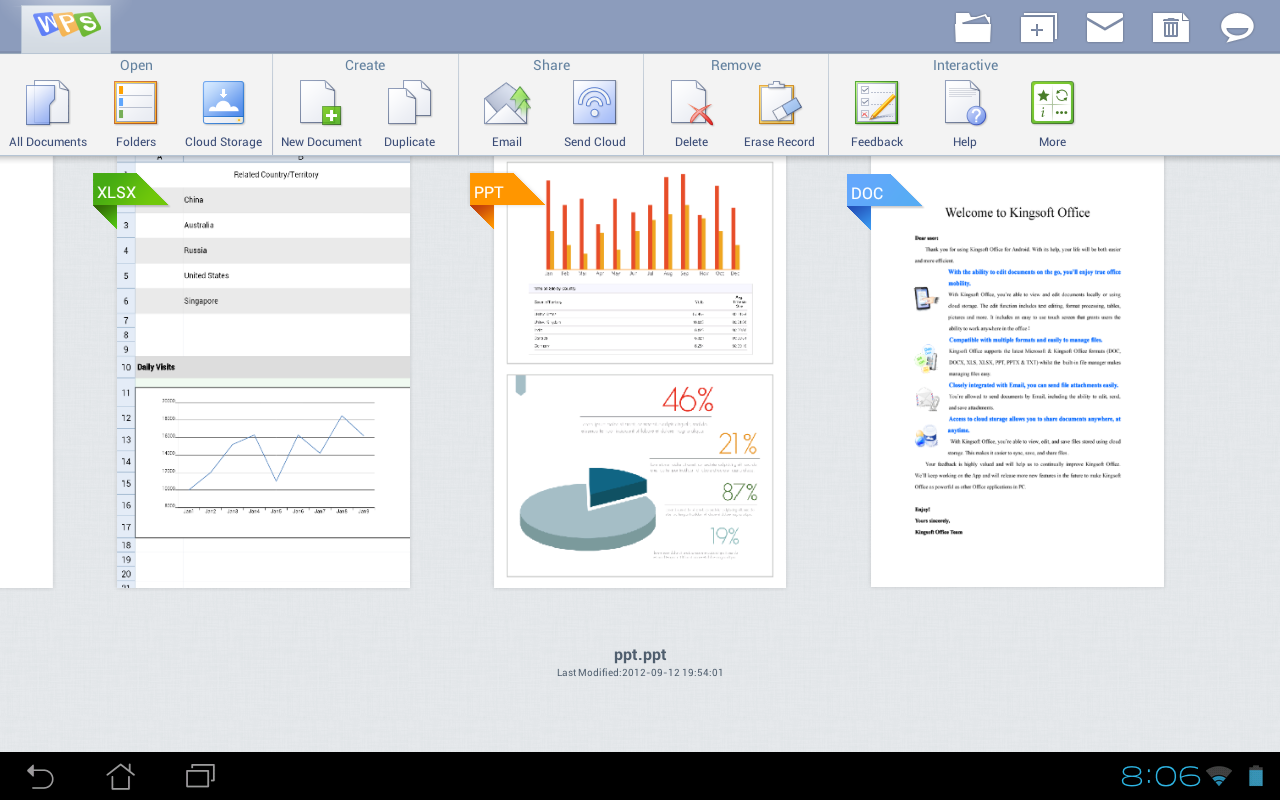
Kingsoft Office is the only mobile Office with full-features FREE.


Support for running on Android 2.1 and above system.


User-friendly & nice UI interface! Users from over 200 countries and regions around the world are using it. The Average Rating of Kingsoft Office is up to 4.6 stars! Whether in a small cell phone screen or on a large screen on the Tablet, Kingsoft Office has a superior performance!


【THE BEST CHOICE FOR YOUR MOBILE OFFICE】
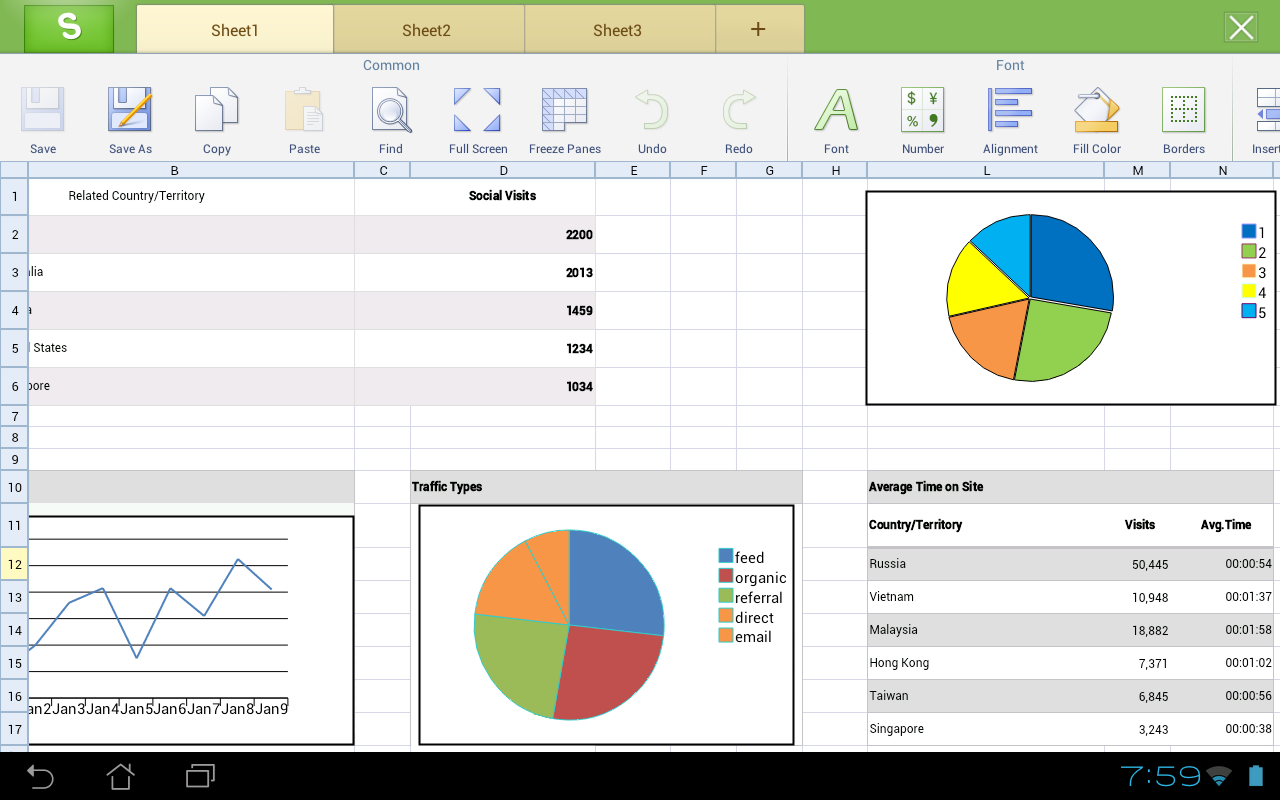
★ Rich editing features! All is FREE!
★ Small Size, Stable Operation, and Special interface!
★ Support 23 kinds of files, including DOC/DOCX/TXT/XLS/XLSX/PPT/PPTX/PDF
★ Built-in file manager that can automatically organize your office document
★ Tight integration with the mail application
★ Support cloud storages such as Google Drive, Dropbox, Box.net and other services with WebDAV protocol
★ A variety of gestures operations, which make your work more interesting
★ Support different Read Mode which be closer to the users’ need


More Info:
https://play.google.com/store/apps/d…ps.moffice_eng


Download Instructions:


mobilephonetalk.comz
APK :honeypot:


Read more

C Locker Pro v2.5.0 Android


C Locker Pro v2.5.0
Requirements: Android v4.0+
Overview: >>>Customize the Lock Screen you like, Launch the actions you need…quickly!


=====Extra Features for Pro version: =====
1. Things you can see from the Lock Screen:
—RSS Feeds (CNN, BBC), Network Provider Name, Battery info..
—Calendar Events List Reminder..


2. Things you can customize on the Lock Screen
—Volume Rocker Control, long press to play/skip (next/prev) music.
—Screen Off Volume Skip (next/prev) music
—Locker screen sliding gesture actions with 4 directions (Up, Down, Left, Right)
—More than 10 custom shortcuts your can set to launch apps, direct call, direct sms
—RSS update interval and other settings
—PIN Unlock (Child Lock)
—Clock background (Full transparent/Black transparent)
—Clock position set to left/center
—Font Styles, Font Colors


=====Features for Free version: =====
1. Things you can see from the Lock Screen:
—Time, Date, Day, Next Alarm
—Weather Information
—Media buttons (previous, play, pause, next), this automatically shows if you have a song playing..
—Missed calls, New SMS notice


2. Things you can customize on the Lock Screen
—Full Screen (hide the status bar…)
—Lock screen Wallpaper (Live wallpaper now supported)
—To show/hide missed calls contact, new sms contents
—Own custom icon selection
—Screen timeout
—Unlock sound, screen off sound
—Disabling Default Home Button function, Long press Home Button to launch recent apps
—Weather update interval and other settings
—And many other customizations


What’s in this version:
☭ added: device administrators option for full security password control (pro)
☭ added: Swedish, Germen Translation, thanks to XDA members: b0red, BratHuhn
☭ updated: the Locker will be the 1st to show up when rebooting if you have set "disable home button"
☭ fixed: custom rss update link changed to "cnn" when selected


This app has no advertisements


More Info:
https://play.google.com/store/apps/d…lockscreen_pro


Download APK:
http://www12.zippyshare.com/v/115902/file.html


Read more

SwiftKey Keyboard v4.2.0.155


SwiftKey Keyboard v4.2.0.155
Requirements: Android 2.2+
Overview: SWIFTKEY – THE MIND-READING KEYBOARD

#1 selling app in 57 countries, over 150,000 ***** reviews
“Shockingly accurate, making for a creepy-fast typing experience.” – TIME Magazine
SMART & EASY
– SwiftKey replaces your phone’s keyboard with one that understands you.
– It predicts your next word before you’ve even pressed a key.
– It provides the world’s most accurate autocorrect in 60 languages.
SwiftKey makes touchscreen typing faster, easier and more personalized no matter what app you’re typing in!
LEARNING
– SwiftKey learns as you type, adapting to you and your way of writing.
– Train SwiftKey on your message archives from Gmail, Facebook and Twitter, or your blog.
– SwiftKey doesn’t just learn your popular words, it learns how you use them together.
TAP OR FLOW YOUR WORDS
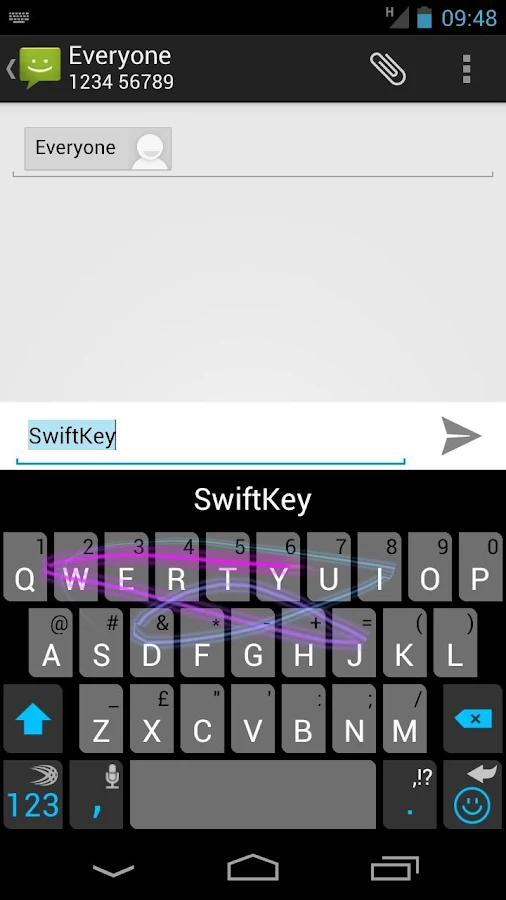
– Switch between tapping and gesture-typing with SwiftKey Flow.
– Flow combines the mind-reading capabilities of SwiftKey with the speed and ease of gliding your fingers across the screen.
– Flow gives word predictions in real-time as you gesture.
– Type entire sentences without lifting your finger from the screen, simply by sliding to the space bar between words — what we call ‘Flow through Space’.
MULTI-LINGUAL
– SwiftKey supports contextual prediction in 60 languages and counting.
– Enable up to three languages at once.
– Naturally combine languages without having to change a setting.
See http://www.swiftkey.net/en/#features for full list of supported languages.
VIDEO TIPS & SUPPORT COMMUNITY
Visit our awesome website for tips, videos, support and much more: http://www.swiftkey.net/
PRIVACY
We take your privacy very seriously. This keyboard does not learn from password fields and all language data learned on your device is stored on your device’s internal memory or SD card.
Internet connection permission is required to install this app, so that language module files and cloud personalization data can be downloaded.
Use of this app is subject to our robust privacy policy, which is there to protect your rights and privacy. Read it in full at http://www.swiftkey.net/privacy


What’s New
New in 4.1.3
Improved stability
New in 4.1.2
Additional fixes for Samsung email application
Bugs fixed in 4.1.1:
Cursor jumping around in the native Samsung email application, causing words to be inserted in odd places
Google Hangouts showing a non-functional “execute” button in landscape mode
Crashing when Personalization fails
Crashing when using the Pitch theme on devices running Android 2.1


This app has no advertisements


More Info:


Code:


http://www.swiftkey.net/


Download Instructions:
http://uploaded.net/file/uw3z4rjd


Mirror:
http://extabit.com/file/279mtfd0uo0dt


Read more

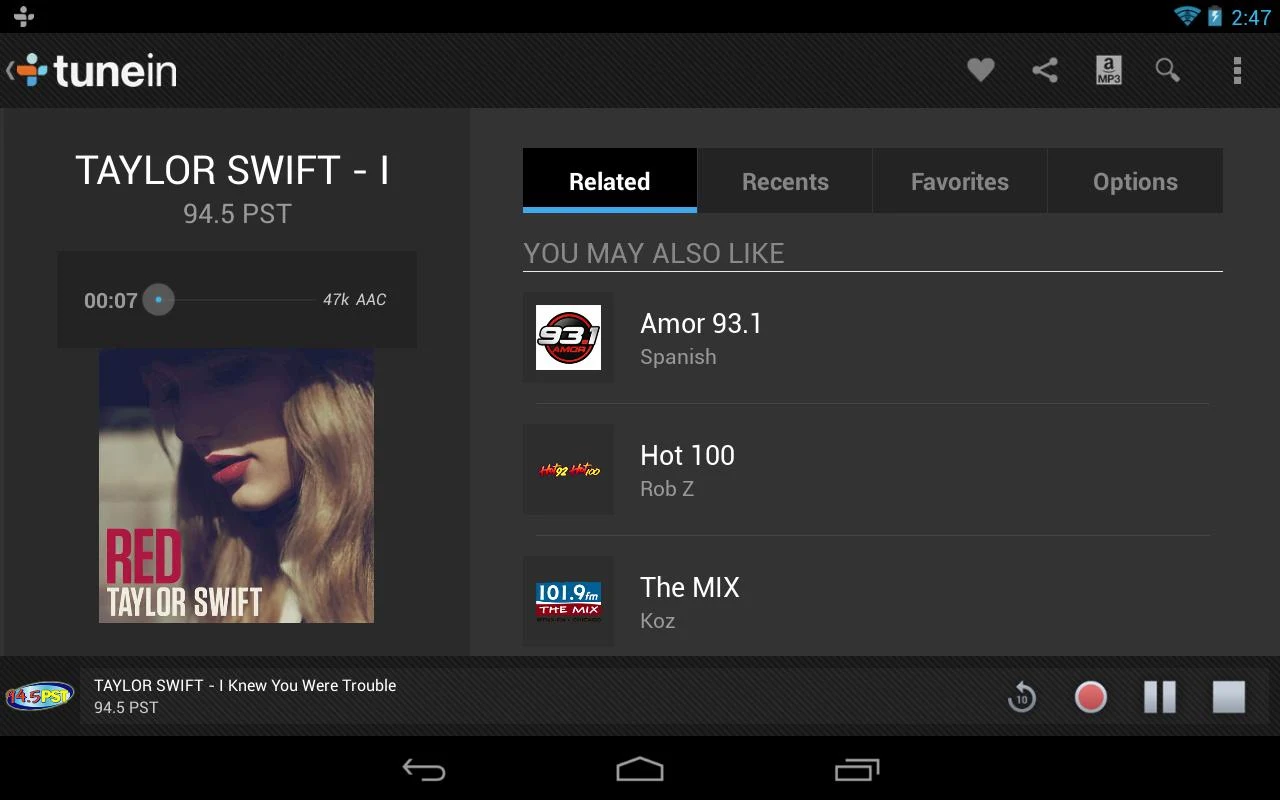
TuneIn Radio Pro v8.0


TuneIn Radio Pro v8.0
Requirements: 2.3 and up
Overview: TuneIn Radio Pro adds the ability to record everything you love from TuneIn Radio.

TuneIn lets you listen to the world’s radio with music, sports, news, talk, and comedy streaming from every continent. Enjoy 70,000 live radio stations and 2 million podcasts, concerts or shows on your Android phone or tablet.
Already a TuneIn listener? TuneIn Radio Pro is fully integrated with tunein.com, so just log in to enjoy your Favorites right from your Android.
Love TuneIn? Please write a review in Google Play. We’re always trying to make TuneIn better. If you have questions or suggestions, please share them with us! support@tunein.com
Want us to help you find the best audio gems?
✪ +1 us on Google Play
✪ Like us on Facebook: www.facebook.com/tunein
✪ Follow us on Twitter: www.twitter.com/tunein
This software uses code of FFmpeg (ffmpeg.org) and LibMMS (Launchpad.net/libmms) licensed under the LGPLv2.1 (www.gnu.org/licenses/old-licenses/lgpl-2.1.html) and their source can be downloaded at tunein.com/support/android.


What’s New
We’ve fixed some bugs to improve your TuneIn experience


This app has no advertisements


More Info:


Code:


https://play.google.com/store/apps/details?id=radiotime.player


Download Instructions:
http://uploaded.net/file/8xidigpr


Mirror:
http://extabit.com/file/279mtfernii4h


Read more

Sand Draw v1.8.5


Sand Draw v1.8.5
Requirements: Android 2.2+
Overview: Sand Draw is a fun app which lets you draw on realistic sand !
After a couple of minutes playing with Sand Draw it will be hard for you to stop drawing, since the result you get looks so real, and easily achieved.


Want to draw a new sand draw ? Just shake the device, and let the waves wipe out the sand.


Sea View ! Click on the ‘sea’ button and get a beautiful view of the sea with a romantic sunset, while changing the angle by tilting your phone !
You can even control the sunset by dragging the sun or the moon, and place an object in the sea such as a deserted island, a lighthouse, a ship, an exotic limestone and more !


Make your drawing look even more realistic by adding authentic beach objects such as sea-shells, weeds, rocks and foot/hand prints.


Control the color of the sea, the sky and the sand !


Change to a different sand texture !


Make your drawing look even more realistic by adding authentic beach objects such as sea-shells, weeds, rocks and foot/hand prints.


Sand Draw can be used to send a romantic greeting to your loved one, play Tic-Tac-Toe and other games, or just draw whatever comes up on your mind !


Sand Draw is suitable for children and adults as one.


Get it now, and start your sand drawing


What’s in this version:
– Fixed a major wave/erase bug


More Info:
Code:


Code:


https://play.google.com/store/apps/details?id=air.KalromSystems.SandDraWNew


Download Instructions:
http://uploaded.net/file/gtreqcg3


Read more

Travel Interpreter v2.0.6 PROPER


Travel Interpreter v2.0.6 PROPER
Requirements: 2.2+
Overview: The "Travel Interpreter" is a talking, illustrated phrasebook which translates English words and phrases into 32 of the following languages: German, French, Spanish (Spain), Spanish (Latin America), Italian, Portuguese (Portugal), Portuguese (Brazil), Danish, Dutch, Finnish, Swedish, Norwegian, Polish, Czech, Slovak, Russian, Bulgarian, Greek, Hungarian, Romanian, Turkish, Chinese, Japanese, Korean, Arabic, Hebrew, Thai, Hindi, Vietnamese, Farsi, Catalan, Romanian and Ukrainian.


The app offers you the unique opportunity to communicate abroad without any special language skills, as it can simply speak the translation as required. Easily understandable illustrations make communication even easier.
You can use the "Travel Interpreter" to order plane tickets, book hotel rooms, take a car to be repaired or order a meal in a restaurant without any language skills at all. More than 2,200 phrases and words are included for each language, all of which are clearly categorized according to the respective topic, such as customs, hotel, service, driving, car services, sightseeing, entertainment, eating and drinking, sport and leisure.
The integrated search function makes it even easier to find what you need. If, for example, you want to book a single room in a hotel, simply key in "single" and the phrase "I would like to book a single room" already appears on the screen.
• More than 2,200 illustrated phrases and words with audio tracks are included per language.
• You can download up to 32 target languages: German, French, Spanish (Spain), Spanish (Latin America), Italian, Portuguese (Portugal), Portuguese (Brazil), Danish, Dutch, Finnish, Swedish, Norwegian, Polish, Czech, Slovak, Russian, Bulgarian, Greek, Hungarian, Romanian, Turkish, Chinese, Japanese, Korean, Arabic, Hebrew, Thai, Hindi, Vietnamese, Farsi, Catalan, Romanian and Ukrainian.
• You download only the languages you need. Each language takes about 25 MB free space on your SD-card.
• Favorites category for saving words and phrases in to your own list.
• Exercise based on the flashcard drill concept, so that you can learn words and phrases from your favorites list.
• All phrases are spoken by native speakers.
• Precise and simple categories with topics and sub-topics.
• Fast full text search function, also for partial words.
• All content stored on the device, no internet connection required for use. You only need to download the necessary languages ones.
• Each entry is illustrated, making communication even easier.
• Very easy to use by young and old.
• Includes phonetic characters for the following languages: Chinese, Japanese, Korean, Russian, Greek, Arabic, Hebrew, Farsi and Thai.


What’s New
• Favorites category for saving words and phrases in to your own list.
• Exercise based on the flashcard drill concept, so that you can learn words and phrases from your favorites list.
• Additional languages are now available: Catalan, Romanian and Ukrainian.


More Info:
Code:


Code:


https://play.google.com/store/apps/details?id=info.jourist.TravelInterpreter


Download Instructions: No need Lucky Patcher
http://uploaded.net/file/2fy2ee8n


Mirror:
http://cloudzer.net/file/bq46txpx


Read more